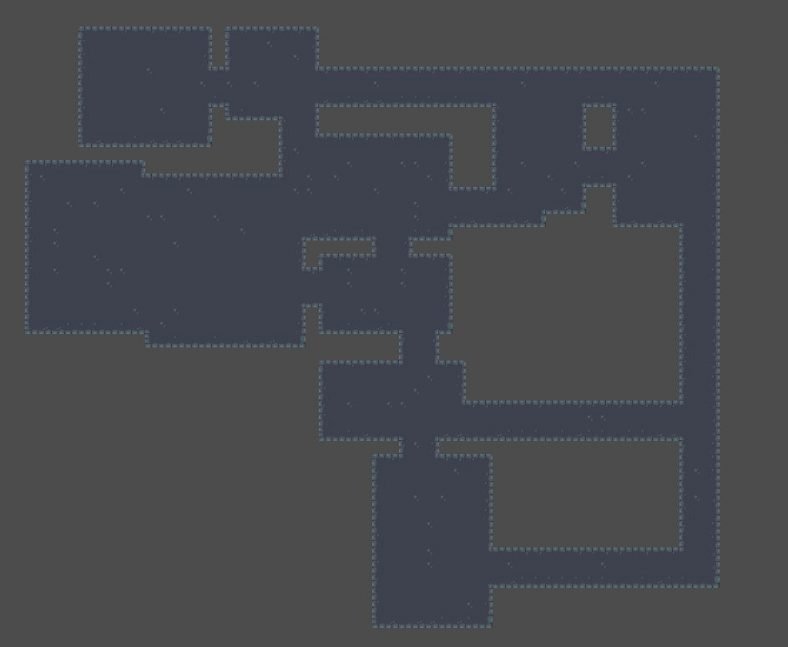
The allure of infinite, unique gameplay experiences is undeniable. For game developers, procedural dungeon generation offers a powerful way to deliver on that promise, breathing endless replayability into roguelikes, RPGs, and adventure games alike. But moving from a basic floor plan to a truly dynamic, performance-optimized, and endlessly extensible system in Godot demands more than just random room placement. It requires a thoughtful approach to algorithm design, resource management, and flexible architecture.
This guide dives deep into optimizing and extending Godot dungeon generators, transforming your basic setup into a robust, high-performance engine that can power entire worlds. We're not just aiming for functional; we're aiming for exceptional.
At a Glance: Key Takeaways for Masterful Dungeon Generation
- Performance is paramount: Prioritize efficient algorithms and data structures to ensure generation occurs within a single frame, even for complex layouts.
- Plan for extensibility: Design your generator from the ground up to easily incorporate new room types, environmental hazards, and gameplay mechanics.
- Balance randomness with control: Leverage parameters and specific architectural patterns (like the TinyKeep method) to guide randomness toward desirable outcomes.
- Visualize early and often: Use debugging tools and step-by-step visualizations to understand your generator's logic and identify issues.
- Modular design is your friend: Break down the generation process into distinct, manageable stages for easier debugging and expansion.
The Foundation: Understanding Your Dungeon's Blueprint
Before we optimize or extend, it's crucial to understand the underlying principles of how dungeon generators work. Many successful methods, including "Max n Jackson's" procedural dungeon generator, take inspiration from classic techniques like those seen in TinyKeep. This approach typically involves several distinct phases:
- Room Placement: Initially, a scattering of rooms is placed somewhat randomly within a defined area.
- Main Room Selection: A subset of these rooms is designated as "main" or "anchor" rooms, often serving as key points in the dungeon's flow.
- Pathfinding & Connection: Paths (corridors) are then generated to connect these main rooms, and often other rooms, ensuring traversability. This might involve techniques like Minimum Spanning Trees (MST) or A* pathfinding.
- Wall Generation: Once the layout of rooms and corridors is established, the necessary walls, floors, and other structural geometry are generated to define the physical space.
What makes a generator like Max n Jackson's stand out is its emphasis on rapid execution (typically generating within a single frame) and the provision of clear visualization tools to observe each step. This transparency is invaluable for debugging and fine-tuning.
Optimizing for Speed: When Every Millisecond Counts
A sluggish dungeon generator isn't just an annoyance; it can break immersion and tank your game's performance. The goal is often to generate an entire dungeon within a single frame, as demonstrated by effective implementations. Here’s how you can achieve that elusive speed.
Efficient Algorithms and Data Structures
The core of optimization lies in choosing the right tools for the job.
- Spatial Hashing or Grids: When dealing with room placement and collision detection, don't iterate through every single room for every check. Instead, divide your dungeon space into a grid. When a new room is placed, only check for collisions with existing rooms in its immediate grid cells. This significantly reduces the number of comparisons.
- Minimum Spanning Trees (MST) for Pathfinding: Algorithms like Prim's or Kruskal's are excellent for connecting rooms efficiently, ensuring all key areas are reachable with the fewest necessary connections. This is often faster than brute-force pathfinding across a large graph.
- Quadtrees/Octrees: For very large or 3D dungeon spaces, a quadtree (2D) or octree (3D) can dramatically speed up queries for neighboring rooms or collision checks by partitioning space recursively.
- Godot's Built-in Performance Tools: Profile your generator. Use Godot's built-in profiler (Debugger > Profiler tab) to identify bottlenecks. Is it your room placement logic? Your pathfinding? Or perhaps the mesh generation itself? Pinpointing the exact slowdown is the first step to fixing it.
Smart Resource Management
Procedural generation often means creating many instances of nodes or complex meshes. This can quickly become a performance hog.
- Instance Pooling: Instead of instantiating new room parts (walls, floors, props) for every dungeon, maintain a pool of pre-loaded instances. When you need a wall, grab one from the pool, configure it, and place it. When the dungeon is reset, return the instances to the pool. This avoids the overhead of constant
instance()calls andqueue_free(). - Deferred Instantiation: For truly massive dungeons that might not fit the "single frame" rule, consider generating parts of the dungeon in the background or over several frames. Godot's
yield()keyword can be invaluable here, allowing your generation script to pause and resume without freezing the game. - Optimized Geometry: If you're generating custom meshes for walls and floors, ensure they are as low-poly as possible without sacrificing visual quality. Combine meshes where possible to reduce draw calls. Tools like Godot's
MeshInstanceandSurfaceToolcan be used efficiently, but be mindful of the number of unique meshes.
Caching and Pre-computation
Some aspects of your dungeon generator might be expensive but can be reused.
- Pre-generated Room Templates: Instead of generating every single wall and floor from scratch each time, design a library of pre-made room "chunks" or modules. Your generator then focuses on snapping these modules together. This moves computation from runtime generation to design time. This approach relates closely to modular room dungeon generation, which prioritizes assembling pre-designed pieces for consistent quality and performance.
- Seed-based Generation: Leverage a seed for your random number generator. This allows you to recreate the exact same dungeon layout, which is invaluable for debugging and for saving game states. If a bug only appears on a specific dungeon, you can reliably regenerate it.
- Pre-calculated Pathing Grids: If your game relies on AI navigation within the generated dungeon, consider pre-calculating a navigation mesh or A* grid immediately after the dungeon is generated. This avoids runtime computation during gameplay.
Extending Your Generator: Beyond Basic Floor Plans
A functional dungeon generator is a good start, but a truly great one is endlessly extensible. This means it can incorporate new features, gameplay elements, and visual variations with minimal refactoring. Max n Jackson's project, for instance, hints at "additional side projects" stemming from its core generator, showcasing the power of extensibility.
Diverse Room Types and Functionality
Move beyond simple squares and rectangles.
- Themed Rooms: Introduce specific room types like "treasury," "trap room," "puzzle room," or "boss arena." Your generation logic can assign these based on certain criteria (e.g., specific main rooms, dead ends, or rooms far from the start).
- Variable Sizes and Shapes: Implement support for L-shaped rooms, T-shaped rooms, or even circular rooms. This adds visual variety and more complex spatial challenges. Your room placement algorithm will need to account for these non-rectangular collision boxes.
- Room Tags/Properties: Attach metadata to each generated room, such as
is_start_room,is_end_room,has_enemy_spawn,has_puzzle. These tags become invaluable for informing game logic, object placement, and even camera transitions (a feature noted in Kulugary's Godot 4.x generator).
Dynamic Environment and Object Placement
Populating your dungeon makes it feel alive.
- Prop Spawning: Based on room tags, randomly (or strategically) spawn props like torches, crates, barrels, or environmental hazards. Consider "density maps" where certain areas are more likely to have specific props.
- Enemy Spawners: Implement zones within rooms where enemies can spawn. You might define different "difficulty zones" in your dungeon generator, spawning stronger enemies further from the start.
- Interactive Elements: Doors, levers, pressure plates, and secret passages can all be integrated into the generation process. For example, a room tagged
has_puzzlemight always spawn a lever and a corresponding door.
Adapting to Different "Viewers" (2D vs. 3D)
Max n Jackson's generator notes that its viewer layer is 3D to match the game, but a 2D viewer would be easier. This highlights a crucial point: the generation logic can often be separated from the rendering.
- Abstract Core Logic: Design your room placement, pathfinding, and connection logic to operate purely on abstract data (e.g., grid coordinates, room objects with dimensions).
- Flexible Viewer Layers: Create separate "viewer" scripts for 2D and 3D. The 2D viewer would interpret the abstract room data and draw
Sprite2DorTileMapelements. The 3D viewer would instantiateMeshInstance3Dnodes or useGridMapbased on the same abstract data. This allows you to quickly prototype in 2D and then switch to a full 3D representation.
Tweakable Settings and Designer Control
A generator that's too random can be frustrating. Empower designers with settings to guide the outcome. Max n Jackson's project uses "different settings used to tweak the output," a testament to this principle.
- Generation Parameters: Expose variables like:
min_rooms,max_roomsmin_room_size,max_room_sizecorridor_widthroom_padding(space between rooms)main_room_percentageseed- Weighted Randomness: Instead of purely random, use weights. For example, some room templates might have a higher probability of appearing than others.
- Constraint-based Generation: Define rules the dungeon must follow. "Always have at least one treasure room," "never connect two boss rooms directly." This adds predictability and ensures certain gameplay elements are always present.
Post-Processing and Refinement
Once the basic layout is done, a "refinement pass" can dramatically improve quality.
- Dead-End Removal/Conversion: Identify dead ends and either remove them (if they lead nowhere important) or convert them into secret rooms, treasure rooms, or challenge rooms.
- Loop Creation: While MSTs create a tree structure, you might want to add some extra connections to create loops, offering alternative routes and making the dungeon feel less linear. Be careful not to create too many, which can make navigation confusing.
- Aesthetic Enhancements: Add decorative elements, varying floor textures, or dynamic lighting based on room properties (e.g., a "dark cave" room might have flickering torches).
Common Pitfalls and How to Avoid Them
Even the most seasoned developers can stumble when building complex procedural systems.
- "Not a Starter Kit" Mentality: Kulugary's generator explicitly states it's a "prototype / skeleton for further development, and it is not intended as a starter kit for roguelike / roguelite games." This is a crucial distinction. Don't expect to plug in a generator and have a complete game. You'll need to build the game logic around it. Understand that your generator is a powerful tool, but it's part of a larger system.
- Over-reliance on Pure Randomness: Without constraints and guidance, dungeons can quickly become nonsensical, unplayable, or visually dull. Randomness needs to be directed.
- Ignoring Performance Early: Waiting until the dungeon is fully featured to optimize is a recipe for disaster. Profile and optimize iteratively. Small gains early on prevent massive headaches later.
- Lack of Visualization/Debugging: A black box generator is impossible to debug. Implement visual aids (like drawing lines, colored rooms, step-by-step pauses) to see what your algorithm is doing.
- Tight Coupling: If your room placement logic is directly tied to your 3D mesh generation code, making a 2D version or changing rendering styles becomes a nightmare. Separate concerns.
- Scalability Issues: What works for a small 10-room dungeon might collapse for a 100-room dungeon. Test with varying scales throughout development.
A Practical Workflow for Godot Developers
Let's put theory into practice with a streamlined workflow for building and enhancing your Godot dungeon generator.
Phase 1: Core Generation Logic (Abstract)
- Define Your Grid/Space: Start with a simple 2D grid or a coordinate system.
- Room Data Structure: Create a
Roomclass (or dictionary) that holds essential data:position,size,id,connections, and a list ofgrid_cells_occupied. - Basic Placement Algorithm: Implement a simple algorithm to place a set number of rooms, checking for basic overlaps. Start with fixed-size rooms for simplicity.
- Connection Logic: Use an MST algorithm (e.g., Prim's) to connect a subset of your rooms.
- Basic Corridor Generation: Represent corridors as simple lines or lists of grid cells between connected rooms.
- Visualization (Basic Debugging): In Godot, use
_draw()on aNode2Dto visually represent rooms as rectangles and corridors as lines. This is your core debugging view.
Phase 2: Instantiation and Rendering (Concrete)
- Room Templates: Create
PackedScenes for your basic room types (e.g.,room_template.tscn,corridor_segment.tscn). These scenes might containMeshInstance3Dnodes,TileMaplayers, orSprite2Dnodes. - Generator Instantiation Script: Create a Godot script (e.g.,
DungeonGenerator.gd) that takes the abstract room and corridor data and instantiates the appropriatePackedScenes into yourSceneTree. - Parent Node: Have your generator instantiate all dungeon elements under a single parent
NodeorNode3Dfor easy management and clearing. - Clear and Regenerate: Implement a function to
queue_free()all existing dungeon elements and regenerate a new one. This is crucial for rapid iteration.
Phase 3: Optimizing and Extending Iteratively
- Profiler First: Run your generator, open the Godot profiler, and identify initial bottlenecks. Is it the algorithm or the instantiation?
- Refine Placement: Implement spatial hashing for faster collision checks during room placement.
- Variable Room Sizes: Update your
Roomdata structure and placement logic to handle varying room dimensions. - Add Room Tags: Introduce an enum for
RoomType(e.g.,START,END,TREASURE,BASIC) and modify your generation to assign types strategically. - Prop Spawning Logic: Create a separate function that iterates through generated rooms, checks their tags, and instantiates props from a pool.
- Tweakable Parameters: Expose variables as
@exportin yourDungeonGenerator.gdscript so you can adjust them directly in the inspector. - Post-Processing: Implement functions to refine the layout, add loops, or clean up dead ends.
Phase 4: Integration with Game Logic
- Camera Transitions: If you're building a top-down game, implement
Camera2DorCamera3Dlogic to smoothly transition between rooms (a key feature in some procedural generators). - Navigation Mesh: Generate a
NavigationRegion3D(for 3D) orNavigationPolygon(for 2D) based on your dungeon geometry, enabling AI pathfinding. - Player Spawning: Place the player character in the
STARTroom. - Game State Management: Ensure your game state can persist or load new dungeons, potentially using seeds to recreate specific layouts.
Looking Ahead: The Future of Your Generated Worlds
Optimizing and extending Godot dungeon generators isn't a one-time task; it's an ongoing journey of refinement and expansion. As your game evolves, so too will the demands on your generator.
Consider features like multi-level dungeons, dynamically changing dungeon biomes based on player progress, or even player-influenced generation where choices impact future layouts. The procedural nature of these systems means that while the core algorithms might be stable, the creative possibilities are truly limitless. By focusing on performance, modularity, and thoughtful design from the outset, you empower yourself to build not just dungeons, but entire, ever-changing worlds within Godot.